 Yap
YapFor people who professionally yap for a living.
An alternative Zoom client for Mac, with native meeting controls, a simple agenda, and recordings you can actually find your way through.
For Apple silicon · macOS 26 or newer
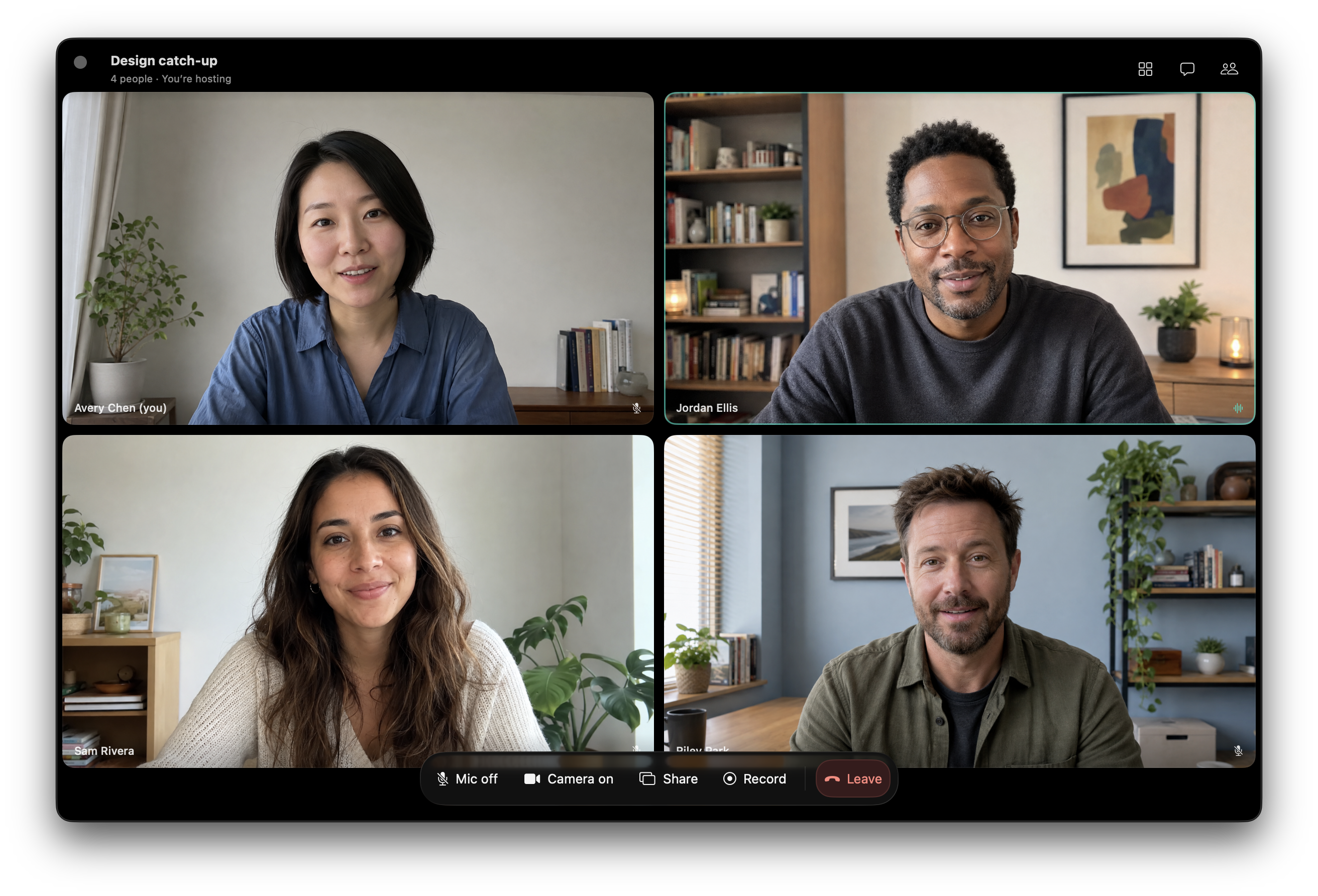
A meeting window that feels like a Mac app
Keep people in a gallery or focus on the active speaker, with your own camera in a draggable corner self-view. Open chat and the participant list from the side, share a window or display, and keep the meeting visible with Keep on Top. Camera, microphone, recording, and leaving the call stay within reach. Native glass, resizable windows, and keyboard shortcuts keep the interface familiar.
Pick up where the meeting left off
Your Zoom cloud recordings have a home of their own.
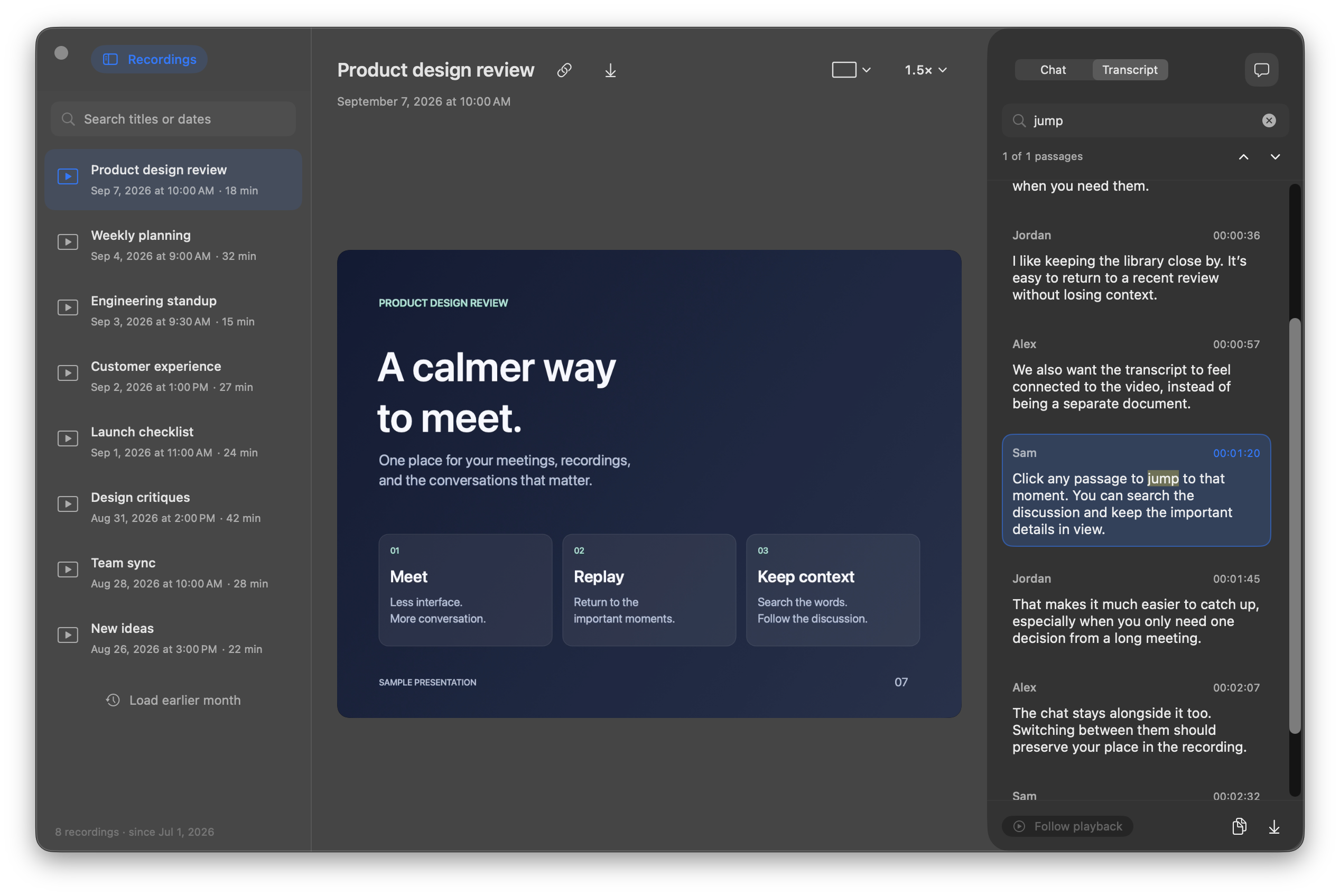
- Find a meeting by title or date. Search naturally with dates such as
Aug 31,8/31, orlast Monday, and load earlier months when you need them. - Stream or save. Start watching in the app, download a copy to your Mac, or copy the recording’s share link.
- Switch perspectives without losing your place. Move between the video layouts supplied by Zoom while keeping your timestamp and playback speed.
- Read along. Switch between Chat and Transcript in the right pane. Messages and spoken passages follow playback and highlight as they happen.
- Go straight to the useful part. Search the open recording’s transcript, jump between matches, or click a passage to seek. Copy a passage or export the whole transcript as TXT or WebVTT.
- Give a recording its own window. Double-click it in the library, or go fullscreen. Playback runs from 1× to 2.75×.
Chat, transcripts, and video layouts appear when Zoom includes those files in the cloud recording. Recording details.
Less between you and your next meeting
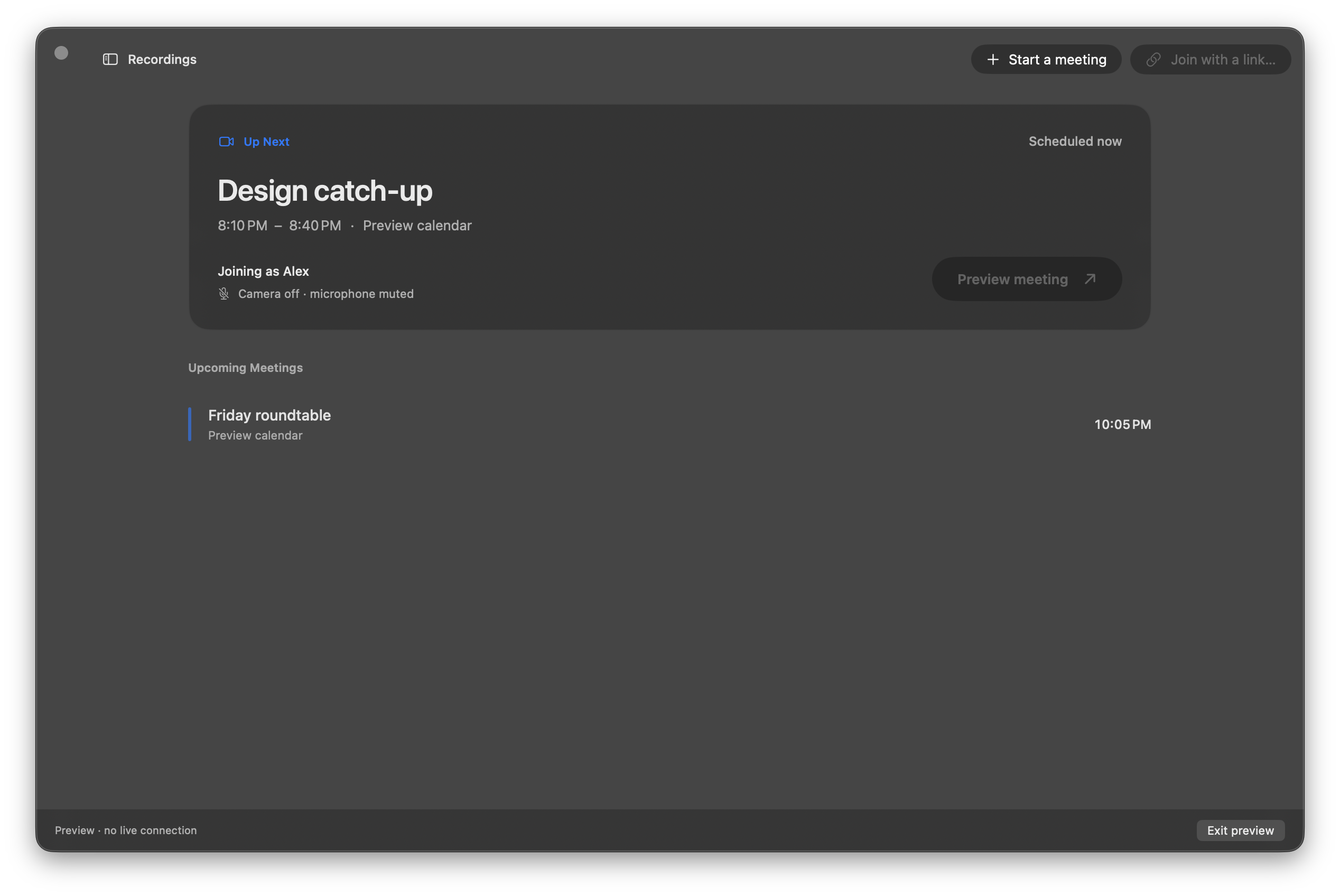
Connect Google Calendar, choose the calendars you care about, and see upcoming Zoom meetings at a glance. Join the next one from the app or menu bar, paste a meeting link, or start a meeting with your own Zoom account. An optional setting lets Yap handle Zoom’s native meeting links.
Screenshots show the native interface with fictional participants, sample meetings, and an original sample recording. No private meeting content is included.
A few keys worth knowing
| While watching a recording | Shortcut |
|---|---|
| Play / pause | Space |
| Skip backward / forward | ← / → |
| Cycle playback speed | S |
| Cycle video layout | V |
| Toggle fullscreen | F |
| Show / hide recordings | ⇧⌘R |
Playback shortcuts stay out of the way while you type in a search field.
Try Yap
Yap 0.1.6 (build 7) requires Apple silicon and macOS 26 or newer. This release adds a menu-bar schedule, camera effects, native audio/video controls, expanded chat, group photos, and improvements to sharing, calendar-aware meetings, and playback. It retains the smaller Apple-silicon-only runtime.